
How to Get More Google Reviews Without Awkward Asking
2026-10-05 · by Lin Zeri
Many happy customers never leave a review. Not because they mind, but because nobody asked, or because leaving one took too many steps. The fix is not a clever trick. It is a short, friendly ask at the right moment, plus a link that opens the review box in one tap.
This guide shows you how to get that link, when to ask, what to say, and what Google does not allow. It also covers the common mistake of asking only your happiest customers, which sounds smart and is against Google's rules.
Key Takeaways
- Google lets you ask customers for reviews with a link or QR code. You can copy the link from your Business Profile on a computer.
- Ask right after the job, when the customer is happiest, and make it a single tap.
- Never offer a discount, gift or payment for a review, and never ask only the customers you expect to be happy.
- Reply to every review. In 2026, 80% of consumers say they are more likely to use a business that replies to all of its reviews.
Why Do Google Reviews Matter for a Local Business?
Reviews do two jobs at once. They help you show up in local results, and they help a stranger decide to call you instead of the next listing.
On the ranking side, Whitespark's 2026 expert survey puts review signals at about 20% of local pack ranking (Whitespark, 2026, accessed Sep. 2026). Those percentages come from a panel of local SEO specialists, not from Google, so treat them as a useful estimate rather than a formula.
On the decision side, the numbers are just as clear. In 2026, 31% of consumers will only use a business rated 4.5 stars or higher, and 80% say they are more likely to use a business that replies to all of its reviews (BrightLocal, 2026, accessed Sep. 2026). That survey is a statement of preference from 1,002 US adults, not a measure of what every customer does. Still, it tells you what a visitor looks at before they pick up the phone.
Recent reviews count too. The same BrightLocal survey found that 74% of consumers only care about reviews from the last three months. A steady trickle of fresh reviews beats a big pile that stopped growing.
If your profile is not set up yet, start with our Google Business Profile optimization checklist. Reviews work best on top of a complete profile.
How Do You Get Your Google Review Link?
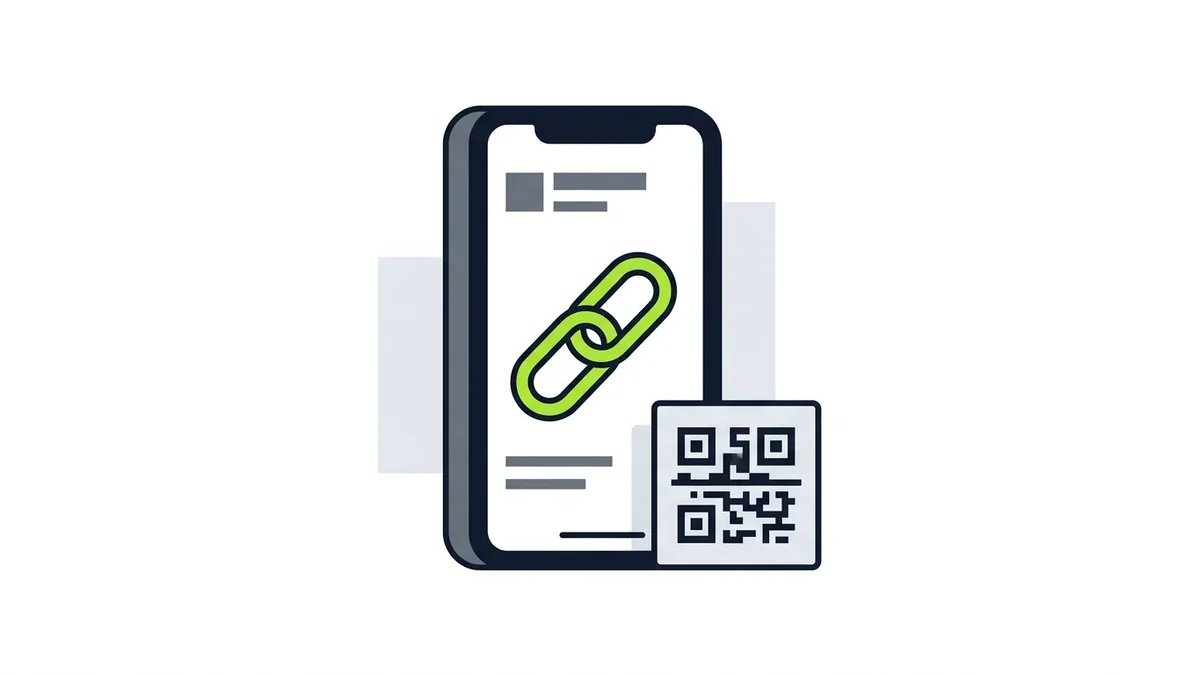
Google gives every verified business a review link and a QR code. You do not need a third-party tool for this. Here are the steps from Google's help page (Google, "Create a Google link or QR code to request reviews", Business Profile Help, accessed Oct. 2026):
- Go to your Business Profile.
- Select Read reviews, then Get more reviews.
- Choose the share icon. Copy the link, or download the QR code.
One catch: Google says review QR codes can currently only be generated on a computer browser, not on mobile devices. If you are on your phone and the option is missing, switch to a computer. Menu labels change from time to time, so if the steps look different, check Google's page for the current ones.
Customers also need a Google Account to post. They can create one with a non-Gmail address, but if someone does not have one, expect some friction (Google, "Tips to get more reviews", Business Profile Help, accessed Oct. 2026). Do not take it personally if a few people drop off at that step.
Once you have the link, save it where you can reach it in two taps: a note on your phone, a saved text reply, or a shortcut in your messaging app. The easier it is for you to send, the more often you will send it.
When Is the Best Moment to Ask?
Ask right after the work is done and the customer has said something good. That is the moment of peak goodwill. A review request that arrives weeks later competes with everything else in their inbox, and they have already forgotten the details that would make the review specific.
A few natural moments work well for most service businesses:
- At the end of the job, when you walk the customer through the finished work and they say "this looks great."
- In the follow-up message you already send with the invoice or receipt. Google suggests putting the link on receipts and in thank-you emails (Google, Business Profile Help, accessed Oct. 2026).
- After a compliment by text, call or in person. If a customer writes "thanks, you saved us," that is your cue.
- At the end of a chat, when a customer finishes a conversation with your team and the issue is solved.
Google also lists sharing the request "through email, WhatsApp message, or Facebook post." Use the channel your customers already use with you. If most of your customers text, send a text. If they live in WhatsApp, send it there.
There is one rule on timing to keep in mind. Google says merchants should not "require or pressure users to leave ratings or write reviews while on the premises" (Google, "Prohibited & restricted content", Maps User Generated Content Policy Help, accessed Oct. 2026). Standing over a customer while they type a review on your tablet is pressure, even if it feels friendly. Share the link and let them do it on their own time.
What Should You Say When You Ask?
A good ask is short, specific and low pressure. It explains why you are asking, makes it easy, and gives the customer an easy way to say no. Here are scripts you can adapt, one per channel.
In person, at the end of a job
"I'm glad it came out the way you wanted. If you have a minute later, a Google review really helps a small business like ours. I can text you the link so it's one tap. No pressure at all."
By text, after the job
"Hi [Name], this is [Your Name] from [Business]. Thanks again for having us today. If you were happy with the work, would you mind leaving a quick Google review? Here's the link: [link]. It helps other neighbors find us. Thank you!"
By email, with the receipt
"Subject: Thanks for choosing [Business]
Hi [Name], thank you for trusting us with your [service]. If you have a minute, an honest review on Google helps other customers know what to expect. You can leave one here: [link]. If anything wasn't right, reply to this email and we'll make it right."
After a customer pays you a compliment
"That means a lot, thank you. Would you be willing to say that in a Google review? Here's the link: [link]."
Three habits make these scripts work:
- Say "honest review," not "five-star review." Google's policy allows you to "solicit or encourage the posting of content that does represent a genuine experience" but not to try to influence the rating or the content of the review (Google, Maps User Generated Content Policy Help, accessed Oct. 2026). Do not ask for a specific star count or put words in their mouth.
- Offer a way to raise a problem privately. The line "if anything wasn't right, reply and we'll make it right" is good customer service. It is fine as long as you do not use it to steer unhappy customers away from reviewing, which is covered below.
- Ask in the customer's language. If part of your customer base is more comfortable in Spanish or Portuguese, send the request in that language. Google reviews are public, and a review in the customer's own words is easier for them to write. For more on this, see our guide to selling to English, Spanish and Portuguese speaking customers.
What Is Not Allowed When Asking for Reviews?
Three practices cause the most trouble, and all three look harmless at first.
1. Incentives. Google states that offering incentives, like free or discounted goods or services, in exchange for reviews is fake engagement and strictly prohibited (Google, Business Profile Help, accessed Oct. 2026). That includes a discount on the next visit, a raffle entry, a gift card, or a free add-on. The same rule covers rewarding someone to change a review or remove a negative one. The safe rule: a thank-you message is fine, a reward is not.
2. Review gating. This means screening customers first, then sending the review link only to the happy ones. For example, you text everyone "How did we do?" and only send the Google link to those who say "great." Google's policy lists, as something merchants are not allowed to do, to "discourage or prohibit negative reviews, or selectively solicit positive reviews from customers" (Google, Maps User Generated Content Policy Help, accessed Oct. 2026). Send the same request to every customer, and accept that some reviews will not be five stars.
3. Conflict of interest. Google's policy also lists content based on a conflict of interest, which can include current or former employment, and content posted from multiple accounts by or at the request of one person (Google, Business Profile Help, accessed Oct. 2026). Do not have your staff, relatives or friends post reviews, and do not write your own from different accounts.
What can happen if you cross these lines? Google says incentivized or biased reviews will be removed from Maps, and that its actions "will range from suspending the account privileges to account termination" (Google, Maps User Generated Content Policy Help, accessed Oct. 2026). For a business, losing reviews is the mild outcome. Google does not promise a specific penalty for each case, so the safest move is to stay well inside the rules.
How Do You Make Asking a Habit?
A review system is not a campaign. It is a small step added to the end of every job. The businesses that keep earning reviews are the ones where somebody owns the step.
Here is a simple routine you can set up in an afternoon:
- Save the link and QR code where every crew member can find them.
- Add one line to your receipt or invoice template with the review link.
- Write a saved text reply using the script above so sending it takes seconds.
- Decide who sends it. If it belongs to everyone, it belongs to no one. Pick the owner, the office manager or the crew lead.
- Print the QR code for places where customers already pause, like a counter, a front desk or a leave-behind card.
- Review your reviews every week. Read the new ones, thank the customer, and note patterns.
Treat the request as part of your service, the same way you treat the final walkthrough. It does not need to feel like marketing.
How Should You Reply to Reviews?
Replying is part of getting more reviews, because it shows future customers how you treat people. Google notes that you must verify your business before you can reply to reviews (Google, "Manage customer reviews", Business Profile Help, accessed Oct. 2026).
For a positive review, thank the customer by name and mention one specific detail from the job. Keep it short.
For a negative review, stay calm and professional. Acknowledge the problem, apologize sincerely if you made a mistake, and invite the customer to continue the conversation offline. Google's guidance is to keep replies short and specific, and to avoid using a reply to offer deals or promotions (Google, "Tips to get more reviews", accessed Oct. 2026). Never share private details about the customer in public.
If a review clearly breaks Google's content policies, you can flag it for review. Flagging is not a way to remove reviews you simply dislike, so use it only when the content is fake, off topic or abusive.
Frequently Asked Questions
How do I get more Google reviews for my business?
Share your Google review link or QR code with every customer right after the job, in the channel they already use with you. Keep the ask short, make it one tap, and never offer anything in return. Build it into your receipt or follow-up message so it happens every time, not only when you remember.
Where do I find my Google review link?
Open your Business Profile on a computer, select Read reviews, then Get more reviews, and choose the share icon. You can copy the link or download the QR code. Google says the QR code can currently only be generated on a computer browser.
Can I offer a discount for a Google review?
No. Google treats offering free or discounted goods or services in exchange for reviews as fake engagement, and it is strictly prohibited. A thank-you message is fine. A reward is not.
Can I only ask happy customers for reviews?
No. Google's policy does not allow merchants to selectively solicit positive reviews from customers or to discourage negative ones. Send the same request to every customer.
Do customers need a Google account to leave a review?
Yes. Customers must be signed into a Google Account to leave a review. They can create an account with a non-Gmail email address.
Should I reply to every review?
It is a good habit. In 2026, 80% of consumers say they are more likely to use a business that replies to all of its reviews, according to BrightLocal. Keep replies short and professional, and do not use them to push offers.
Can I ask my employees or family to leave reviews?
No. Google's policy lists content based on a conflict of interest as not allowed, and that can include current or former employment. Ask real customers only.
What Should You Do Next?
Pull your review link today, add it to your receipt or follow-up message, and decide who on your team sends it. Then ask every customer, not only the ones you expect to be thrilled. Reviews are one piece of a wider local search plan, so when you are ready, read our complete guide to local SEO for service businesses.
Etuos brings more than 10 years of digital marketing experience to local businesses. If you want help turning reviews, your profile and your website into more calls, see how we approach SEO for local businesses, or send a message on WhatsApp and tell us how your business runs today. We offer a free diagnosis with no deadline. You can also reach us on the contact page.
Sources
- Google, "Create a Google link or QR code to request reviews", Business Profile Help, retrieved Oct. 2026, https://support.google.com/business/answer/16816815
- Google, "Tips to get more reviews", Business Profile Help, retrieved Oct. 2026, https://support.google.com/business/answer/3474122
- Google, "Manage customer reviews", Business Profile Help, retrieved Oct. 2026, https://support.google.com/business/answer/3474050
- Google, "Prohibited & restricted content", Maps User Generated Content Policy Help, retrieved Oct. 2026, https://support.google.com/contributionpolicy/answer/7400114
- Google, "Prohibited & restricted content", Business Profile Help, retrieved Oct. 2026, https://support.google.com/business/answer/7400114
- BrightLocal, "Local Consumer Review Survey 2026", Feb. 2026, https://www.brightlocal.com/research/local-consumer-review-survey/
- Whitespark, "2026 Local Search Ranking Factors", 2026, https://whitespark.ca/local-search-ranking-factors/