
Why Your Business Is Not Showing Up on Google Maps (and How to Fix It)
2026-09-22 · by Lin Zeri
You search for your own service plus your city, scroll through the map, and your business is nowhere. Competitors you know are smaller than you show up in the top three. It feels personal, but it almost never is. A missing listing has a cause, and this guide covers the seven most common ones.
This guide is a troubleshooting order, not a theory lesson. It starts with the problems most likely to make your profile vanish completely, then moves to the ones that quietly push you down the list. Each cause gets a check you can run in a few minutes and a fix.
Key Takeaways
- A profile that is suspended or unverified can disappear entirely, so check that first.
- Google ranks local results on relevance, distance and prominence, and says there is no way to pay for a better local ranking.
- Google Business Profile signals make up 32% of local pack ranking in Whitespark's 2026 expert survey, and no other signal group in that survey weighs more.
- You cannot rank everywhere. Distance from the searcher is a real limit, and it is not a bug in your profile.
Is Your Profile Suspended or Unverified?

Start here, because this is the only cause that can remove you from Google Maps altogether. Google states that it may suspend or disable Business Profiles that don't follow its guidelines, and when a profile is removed, "the public can't go to the profile" (Google, "Fix suspended or disabled profiles", Business Profile Help, accessed Oct. 2026).
Verification is the other half. Google's own help page says that to edit your business info and interact with customers, "you need to verify your business" (Google, "Verify your business", Business Profile Help, accessed Oct. 2026). An unverified profile leaves you without control over the details that decide where you show up.
The check. Sign in to the Google account that manages the profile and open your Business Profile. Look for a banner about verification, a suspension notice, or a message that the profile was removed. Also search your exact business name. If nothing comes up, treat it as a suspension until you prove otherwise.
The fix.
- If you are unverified, finish verification with the method Google offers for your business.
- If you are suspended, use the Business Profile appeals tool. Do not create a new profile for the same business, because Google says not to.
- Gather evidence that matches the profile exactly, such as business registration, a business license, tax certificates or utility bills. The business name and address on those documents should match what is on the profile.
- Submit one careful appeal. Google states that appeals can only be submitted once, so do not rush it with a thin explanation.
Address, duplicate and naming problems are common reasons for suspensions, so read on before you appeal.
Does Your Address Break Google's Rules?
The address field is where a lot of honest owners get into trouble. Google's guidelines say that a rented mailing address where you don't actually operate is a virtual office, and "that location isn't eligible for a Business Profile." They also say "P.O. boxes or mailboxes located at remote locations aren't acceptable" (Google, "Guidelines for representing your business on Google", Business Profile Help, accessed Oct. 2026).
This hits home-based and mobile businesses the hardest. A cleaner, a handyman or a landscaper who lists a mailbox store address to avoid showing a home address is doing exactly what the guidelines prohibit.
The check. Compare the address on your profile with where you really work. Is it a real location where you or your staff operate? Or is it a mail drop, a coworking desk you never use, or an address you borrowed because it looked more professional?
The fix. If customers come to you, use your real storefront or office address. If you travel to customers, use the service-area setup. Google's rule is direct: "If you're a service-area business, you should hide your business address from customers." Then list the cities or zip codes you actually cover, and keep that list honest and reasonable. A service area that stretches across half the state is not a ranking trick, it is a flag.
Do You Have Duplicate Listings?
Duplicates are common after a move, a rebrand, a change of ownership or when an old agency created a second profile and never told you. They split your reviews and photos across two listings, and they break a rule: Google says "Do not create more than one page for each location of your business, either in a single account or multiple accounts" (Google, Business Profile Help, accessed Oct. 2026).
The check. Search your business name, your phone number and your old addresses directly on Google Maps. Look for a second pin, an old name, or a listing marked as closed that still carries your reviews.
The fix. Decide which profile is the real one, usually the one with the most history and reviews. Claim any duplicate you can control, then use Google's tools to report or remove the extra listing. Do not spin up a fresh profile to start over. That can turn a small mess into a suspension.
Is Your Primary Category Wrong?
Relevance is the first thing Google lists when it explains local ranking: "Relevance is how well a Business Profile matches what someone is searching for" (Google, "Improve your local ranking on Google", Business Profile Help, accessed Oct. 2026). Your primary category is how you tell Google what you are.
A wrong category is the quiet killer. Your profile is live, verified and clean, and it still never appears for the searches that bring customers, because Google thinks you belong to a different group of businesses.
The check. Search the exact phrase a customer would type, such as "house cleaning near me." Open the top three results and note their primary category. Then compare it with yours.
The fix. Pick the most specific category that describes your core business. Google's guidance is to "use as few categories as possible to describe your overall core business from the provided list." Resist the urge to add ten categories. Pick one primary, add a couple of secondary ones that are true, and stop. The same rule applies to your name: keep it to your real business name, because "including unnecessary information in your business name isn't permitted." Keyword-stuffed names also break Google's rules and put the profile at risk.
Are You Too Far From the Person Searching?
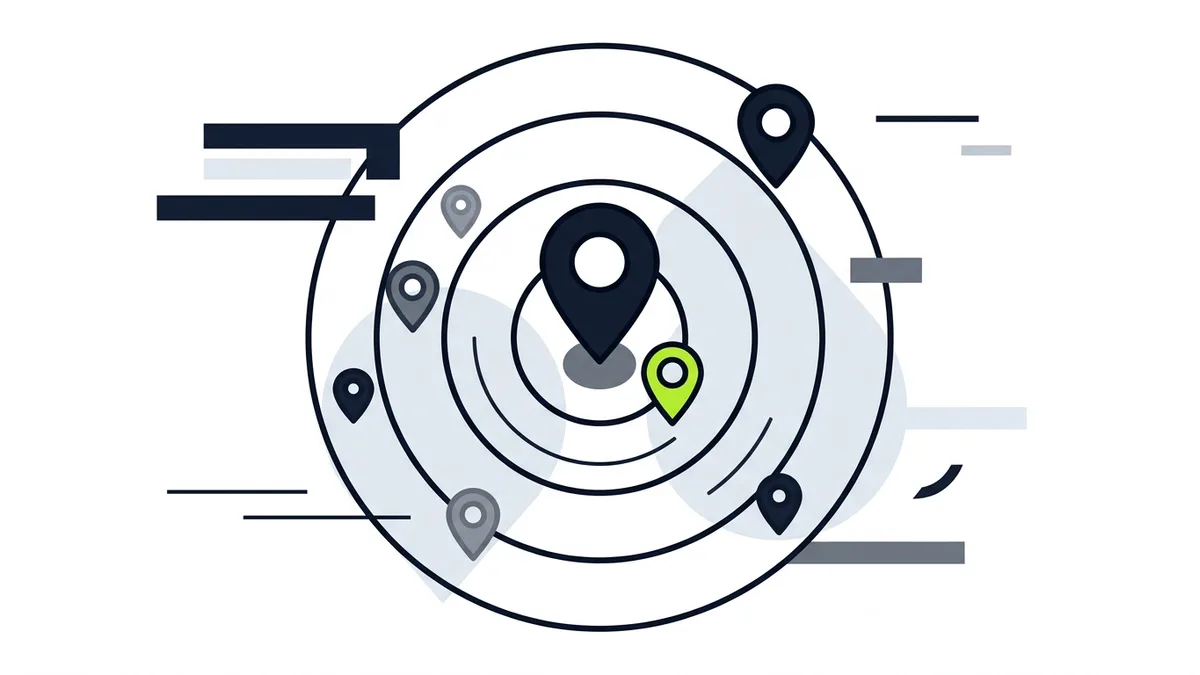
This one is not a bug, and no setting fixes it, so it is worth being honest about. Google lists distance as one of three local ranking factors: "Distance refers to how far each business is from the customer who's searching" (Google, "Improve your local ranking on Google", Business Profile Help, accessed Oct. 2026).
In practice, you can see yourself in the map pack when you search from your office and not see yourself when you search from a neighborhood across town. Both results are correct. The map is personalized to where the person is standing.
The check. Search your main service from the neighborhoods you want to win, not from your own desk. Ask a friend or a family member in that area to run the same search and tell you what they see.
The fix. There is no trick that makes a profile rank equally in every city. What you can do is improve the other two factors, relevance and prominence, so you hold up when distance is not in your favor. Strong reviews, a complete profile and a website with real service pages help. If you serve several cities, a unique page for each one gives Google a reason to connect you to those places. Our Orlando page is an example of how local pages should read: written for that city, not a template with a name swapped in.
Google is also direct about one thing owners keep asking: "There's no way to request or pay for a better local ranking on Google." Anyone who sells you a guaranteed position in the map pack is selling something Google says does not exist.
Is Your Review Profile Too Thin?
Prominence is the third factor, and Google describes it as how well-known a business is, based in part on "how many websites link to your business and how many reviews you have" (Google, Business Profile Help, accessed Oct. 2026). Reviews are the easiest part of prominence for a local business to influence.
They matter to customers too. In BrightLocal's 2025 consumer survey, 83% of consumers said they use Google to read reviews (BrightLocal, "Local Consumer Review Survey 2025", 2025, via SearchLab Digital, accessed Sep. 2026). So a profile with a handful of old reviews loses twice: it ranks lower, and it converts worse when it does show up.
The check. Compare your review count, average rating and how recent your latest reviews are with the top three businesses in your map pack. Ask whether you are close or far behind.
The fix. Build a steady habit of asking happy customers right after the job, with a direct review link they can open in one tap. Reply to every review, good or bad. Never offer money, discounts or gifts in exchange for reviews, since that breaks Google's policies and can put the whole profile at risk. Our Google Business Profile checklist walks through the review process step by step.
Is Your NAP Inconsistent Across the Web?
NAP means name, address and phone number. When your profile says one thing and your website, Yelp page, Facebook page and directory listings say another, Google has a harder time trusting that all of them describe the same business.
Whitespark's 2026 survey of 47 expert local SEOs found that Google Business Profile signals account for 32% of local pack ranking (Whitespark, "2026 Local Search Ranking Factors", 2026, accessed Sep. 2026). These are expert opinions, not an official Google formula, but they point the same direction: the profile itself carries the most weight, and the signals around it reinforce it.
The check. Write down the exact name, address and phone number on your profile. Then open your website footer, your Facebook page, your Yelp listing and any directories you remember. Mark every place where something differs, even slightly: "St." versus "Street," an old phone number, a suite number that appears in one place and not another.
The fix. Choose one correct version and update every source to match it. Start with your website and the large platforms, then work down to smaller directories. This is dull work, and it rarely moves the needle on its own, but it removes the contradictions that keep a profile from being trusted.
What Order Should You Fix Things In?
Work down the list in the order above, because the early items can cancel everything after them. A suspended profile makes category tuning pointless. A virtual office address makes review building risky. Use this sequence:
- Confirm the profile is live, verified and not suspended.
- Make the address and service area follow the guidelines.
- Remove or merge duplicates.
- Fix the primary category and the business name.
- Test from the places you want to win, and accept the distance limit.
- Build reviews steadily and honestly.
- Make your name, address and phone number match everywhere.
If you want the full picture of how local search works beyond the profile, read our guide to local SEO for service businesses. If you would rather have someone audit the profile and the website together, that is what our SEO service is built for.
Frequently Asked Questions
Why is my Google Business Profile not showing up when I search my own business name?
Common causes are a suspended or removed profile, a profile that was never verified, or a duplicate that Google is showing instead. Check your Business Profile dashboard for notices first, then search your phone number and old addresses to look for duplicates.
Can I pay Google to rank higher on Google Maps?
No. Google states that there is no way to request or pay for a better local ranking. What you can improve is relevance, which comes from a correct category and complete profile, and prominence, which comes from reviews and a well-known business. Distance is the third factor, and you cannot change it.
Why do I show up when I search from my office but not from across town?
Because Google weighs distance from the person searching. Your profile can rank well near your location and drop in neighborhoods farther away. Test from the areas you want to reach, and strengthen reviews and website content so you hold up better when distance is not in your favor.
Can I use my home address for my profile?
If you run a service-area business from home, you can use the address to set up the profile, but Google tells service-area businesses to hide the address from customers. Then list the cities or zip codes you serve. Do not substitute a mailbox store or virtual office address, because those are not eligible.
Should I create a new profile if mine was suspended?
No. Google says not to create a new profile for the same business. Use the appeals tool instead, with evidence that matches your profile's name and address. Appeals can only be submitted once, so prepare it carefully.
Not Sure Which of the Seven Is Hurting You?
A missing profile usually has a specific cause, and each one above is quick to confirm once you know where to look. If you want a second pair of eyes, tell us how your business shows up today and where you want to be found. We run a free diagnosis with no deadline: send a message on WhatsApp and we'll go through your listing together. You can also reach us from the contact page.