
Where Should a Local Business Put Its First Marketing Dollars? A Practical Order of Operations
2026-10-16 · by Lin Zeri
Most owners ask the wrong question first. They ask how much to spend on marketing, when the question that saves money is where the first dollar goes. Put it in the wrong place and a small budget disappears without a trace. Put it in the right order and even a modest one does real work.
This guide is about sequence, not amounts. The math of working backwards from customers and close rate is in what Google Ads really cost a small business and the guide to what paid ads cost a local business. Here you get a four-step order of operations for a local service business: what to do first, what to add next and what to leave alone until the basics hold.
TL;DR
- The order: (1) a verified Google Business Profile and a review habit, (2) paid search for people already looking, (3) a page and a phone that convert, (4) social ads to create demand.
- Step 1 costs mostly hours, and Google says there is no way to pay for a better local ranking, so it comes first.
- Local Services Ads charge for valid leads, not clicks. Google Ads charges per click, and what you pay is often less than your maximum bid.
- Fix the page and the phone before you buy more traffic. Traffic into a leaky funnel is a more expensive leak.
- No fixed split fits every business. Your trade, city, capacity and cash decide how far down the list you go.
Why Order Matters More Than Amount
Order matters because each marketing job depends on the one before it: be found, look trustworthy, get the contact, handle the contact. Money spent out of sequence is usually money wasted. Ads that send people to an unverified profile with no reviews do not fail because ads are bad. They fail because the ground under them was not ready.
You will hear confident rules about what share of revenue a business "should" spend on marketing. We have no verified source for any such number, so you will not find one here. One US survey commissioned by Intuit's SMB MediaLabs estimated the average small business advertising budget at roughly $78,000 for the year (Intuit QuickBooks, 2025, accessed Oct. 2026). Do not read that as a target. It is an average across businesses with anywhere from zero to more than 100 employees, so bigger operations likely pull it up. It tells you what the average looks like, not what your one-truck business needs.
So ask "what does this dollar unlock?" That question gives you the order below.
Step 1: Spend Time Before You Spend Money
Start by verifying your Google Business Profile and building a review habit. This costs mostly hours, not dollars, and it is where customers already look.
Verify the profile. Google is plain about this: "To edit your business info on Google, such as business name or business hours, and interact with customers... you need to verify your business" (Google, "Verify your business", Business Profile Help, accessed Oct. 2026). An unverified profile is a profile you cannot fully control. If it is not done yet, it comes before any ad.
Know what moves local rankings. Google says local results are "mainly based on relevance, distance, and popularity," that popularity is also based on "how many websites link to your business and how many reviews you have," and that "there's no way to request or pay for a better local ranking on Google" (Google, "Improve your local ranking on Google", Google Business Profile Help, accessed Oct. 2026). You cannot buy your way up the map results, so the time you invest in your profile is not a place to cut corners. Our Google Business Profile optimization checklist walks through what to fix first.
Build a review habit. Reviews are part of how Google reads your business and part of how a customer decides. In the BrightLocal 2026 survey of 1,002 US adults, 41% said they now always read reviews when browsing for a business, up from 29% in 2025, and 80% said they are more likely to use a business that replies to all of its reviews (BrightLocal, 2026, via PinMeTo, accessed Oct. 2026). These are survey answers, not measured behavior, and PinMeTo sells local presence software, so treat them as a signal.
Two rules keep the habit clean. Offering free or discounted goods or services in exchange for reviews is "strictly prohibited" under Google's guidance (Google, Business Profile Help, accessed Oct. 2026). And you can only reply to reviews after you verify the business, and the reviewer is notified when you reply (Google, "Manage customer reviews", Business Profile Help, accessed Oct. 2026). Step one is mostly a routine: ask every happy customer, answer every review, keep the details accurate. Our guide on how to get Google reviews shows how, without breaking the rules.
None of this needs an ad budget. It needs someone who owns the task.
Step 2: Capture the Demand That Already Exists
Once the foundation holds, your first paid dollar should put you in front of people already searching for your service, through Local Services Ads or Google Ads. Someone typing "emergency plumber near me" has a problem and a phone in hand. You are not convincing them they need you. You are making sure they can find you.
For a service business, that mostly means two options.
Local Services Ads. The pricing model is the draw. Google says "You still only pay for valid leads (such as phone calls and messages) rather than ad clicks" (Google, "Local Services Ads transition to Performance Max campaigns with pay-per-lead goals", Google Ads Help, accessed Oct. 2026). Lead prices "may vary depending on your location, the job type, the type of lead, or your bidding mode," and leads Google determines to be invalid or low quality are not charged (Google, "How leads work", Local Services Help, accessed Oct. 2026). On budget, the bidding help page says "The higher your weekly budget, the more leads you could get," and that when similar local businesses bid on the same lead, "those bids determine how much the lead is worth" (Google, "How bidding works for Local Services Ads", Local Services Help, accessed Oct. 2026). Check that your trade and area qualify first.
Google Ads Search. Here you pay per click, set a maximum, and compete in an auction. A click "won't cost you more than the maximum cost-per-click bid (or "max. CPC") that you set" (Google, "About maximum CPC bidding", Google Ads Help, accessed Oct. 2026), and what you pay "is often less" than that maximum (Google, "About Ad Rank", Google Ads Help, accessed Oct. 2026). Our comparison of Local Services Ads versus Google Ads shows which one fits which situation.
How much? Not by rule. Start with the smallest budget that can still teach you something, and judge it by calls and customers rather than clicks. The backwards math lives in our Google Ads cost guide, so we will not repeat it. The sequencing point is simple: the demand is already there, so you can see the result in calls.
One more thing belongs in this step. If your calls go unanswered, you are not ready for it. Google itself warns that "If you regularly fail to answer calls or respond to messages, your ad ranking may be affected" (Google, "Getting started with Local Services Ads", Local Services Help, accessed Oct. 2026). Paying for a lead and missing it is the most expensive mistake on this list.
Step 3: Fix the Leak Before You Add Water
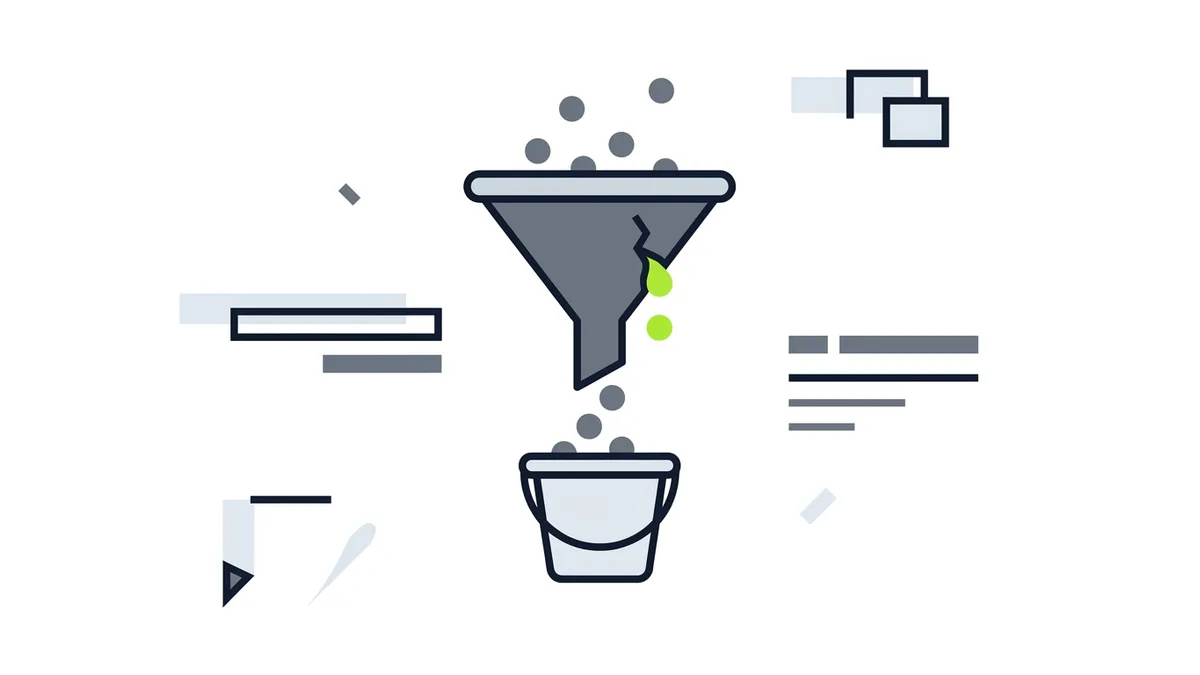
Fix your page and your phone handling before you buy more traffic. Many budgets quietly fail here: the clicks arrive and nothing happens, because the page or the phone is not doing its job.
A purely illustrative example, with invented numbers and not a market benchmark: your ads bring in 20 contacts one month, and 5 reach voicemail that nobody returns. You paid for 20 chances and kept 15. Raise the budget to "get more" and you scale the same leak. Fix the callback habit and the same budget buys more of what you wanted.
So before you increase spend, run through a short check:
- Can a visitor call or request a quote in one tap? A phone number buried in a footer costs you contacts.
- Does the page match what the ad promised? Someone who clicked "water heater repair" should land on water heater repair, not a general homepage.
- Does the page read well on a phone? Many of your customers will open it there, in a hurry.
- Is there a plan for missed calls? A callback routine, a text reply, a service that answers.
- Do you know where contacts come from? Without call and form tracking, you are guessing which dollar worked.
If your site is the weak link, our guide on what to do when your website is not getting calls goes through the usual causes. This step often costs less than the ads themselves and changes what every other dollar returns.
Step 4: Create Demand, Once the Rest Can Hold It
Social ads come last because they reach people who are not looking yet: a homeowner who will need a roof eventually, a family that has not thought about a deep clean. That is creating demand, and social platforms are where it usually happens.
It is a legitimate channel for a local business, but also the one most likely to disappoint an owner who skipped the earlier steps. Attention is not a customer. People who see you in a feed are not ready to hire the moment they scroll past, so the profile, the reviews and the follow-up need to be in place to catch them when they are.
We have no verified cost data for social ads, so we will not give a number or a split. Start small, point the ads at one clear offer, and measure by contacts and booked jobs. Our guide to Facebook ads for local business covers how to run them with realistic expectations.
How to Know When to Move Down the List

Move to the next step when the current one is no longer your weak link. You do not have to finish one perfectly first. Four questions help:
- Is the profile verified, accurate and collecting reviews? If not, go back to Step 1.
- Can you take every contact that arrives? If not, fix capacity or the callback habit before you buy more.
- Can you tell which dollar produced which contact? If not, set up tracking before you test a second channel.
- Does one customer pay back what it cost to win them? If not, narrow the offer or the service area before you scale.
One honest limit: a business with thin margins or a long sales conversation may find paid search expensive for what it returns, and our guide on what paid ads cost explains when ads are not the right first move. Growth you cannot serve is not growth either: a campaign that fills a calendar you cannot staff will hurt your reviews.
Frequently Asked Questions
Where should a new local business spend its first marketing dollars?
Start with what makes every other channel work: a verified Google Business Profile, accurate details and a habit of asking for and answering reviews. Those cost mostly time. Once you can answer every contact that arrives, add paid search, such as Local Services Ads or Google Ads, to reach people who are already searching.
Should a local service business start with Google Ads or Facebook ads?
Search usually comes first, because the person searching already wants to hire someone. Social ads create awareness and work best once your profile, reviews and follow-up are ready to catch the attention they bring.
Is there a percentage of revenue I should spend on marketing?
There is no number we can verify, so we will not give one. The Intuit survey estimates an average small business advertising budget of about $78,000, but it spans businesses from zero to over 100 employees and is not a target. Work out your own budget from what a customer is worth to you and how many contacts you can actually handle.
Can I pay Google to rank higher in the map results?
No. Google says "There's no way to request or pay for a better local ranking on Google." Local rankings rest mainly on relevance, distance and popularity, which is why the profile and reviews are worth your time. Paid ads are a separate placement.
What to Take Away
- Think in sequence: the first dollar goes where it makes the next dollar work.
- Step 1 is mostly time: a verified profile, accurate details and a review routine.
- Step 2 is capturing existing demand with Local Services Ads or Google Ads.
- Step 3 is fixing the page and the phone before you scale traffic.
- Step 4 is creating demand, once everything before it can catch it.
- Skip percentage rules. Build your budget from what a customer is worth and how many you can serve.
Not sure which step you are on? See how we approach paid advertising for local businesses, or tell me about your business and I will tell you where your first dollar should go: send a message on WhatsApp and we will go through it together. The diagnosis is free, with no deadline.
Sources
- Google, "Verify your business", Business Profile Help, accessed Oct. 2026, https://support.google.com/business/answer/7107242
- Google, "Improve your local ranking on Google", Business Profile Help, accessed Oct. 2026, https://support.google.com/business/answer/7091
- BrightLocal, "Local Consumer Review Survey 2026", via PinMeTo, accessed Oct. 2026, https://www.pinmeto.com/news/brightlocal-local-consumer-review-survey-2026/
- Google, "Ask for Google reviews", Business Profile Help, accessed Oct. 2026, https://support.google.com/business/answer/3474122
- Google, "Manage customer reviews", Business Profile Help, accessed Oct. 2026, https://support.google.com/business/answer/3474050
- Google, "Local Services Ads transition to Performance Max campaigns with pay-per-lead goals", Google Ads Help, accessed Oct. 2026, https://support.google.com/google-ads/answer/17213585
- Google, "How leads work", Local Services Help, accessed Oct. 2026, https://support.google.com/localservices/answer/7195435
- Google, "How bidding works for Local Services Ads", Local Services Help, accessed Oct. 2026, https://support.google.com/localservices/answer/10125017
- Google, "Getting started with Local Services Ads", Local Services Help, accessed Oct. 2026, https://support.google.com/localservices/answer/6224841
- Google, "About maximum CPC bidding", Google Ads Help, accessed Oct. 2026, https://support.google.com/google-ads/answer/6326
- Google, "About Ad Rank", Google Ads Help, accessed Oct. 2026, https://support.google.com/google-ads/answer/1722122
- Intuit QuickBooks / Intuit SMB MediaLabs, "Small Business Advertising Trends Report", 2025, accessed Oct. 2026, https://quickbooks.intuit.com/r/small-business-data/advertising-trends-2025/